

BrightEdge Analytics Reporting
See How Much Business AI Search Is Driving to Your Site
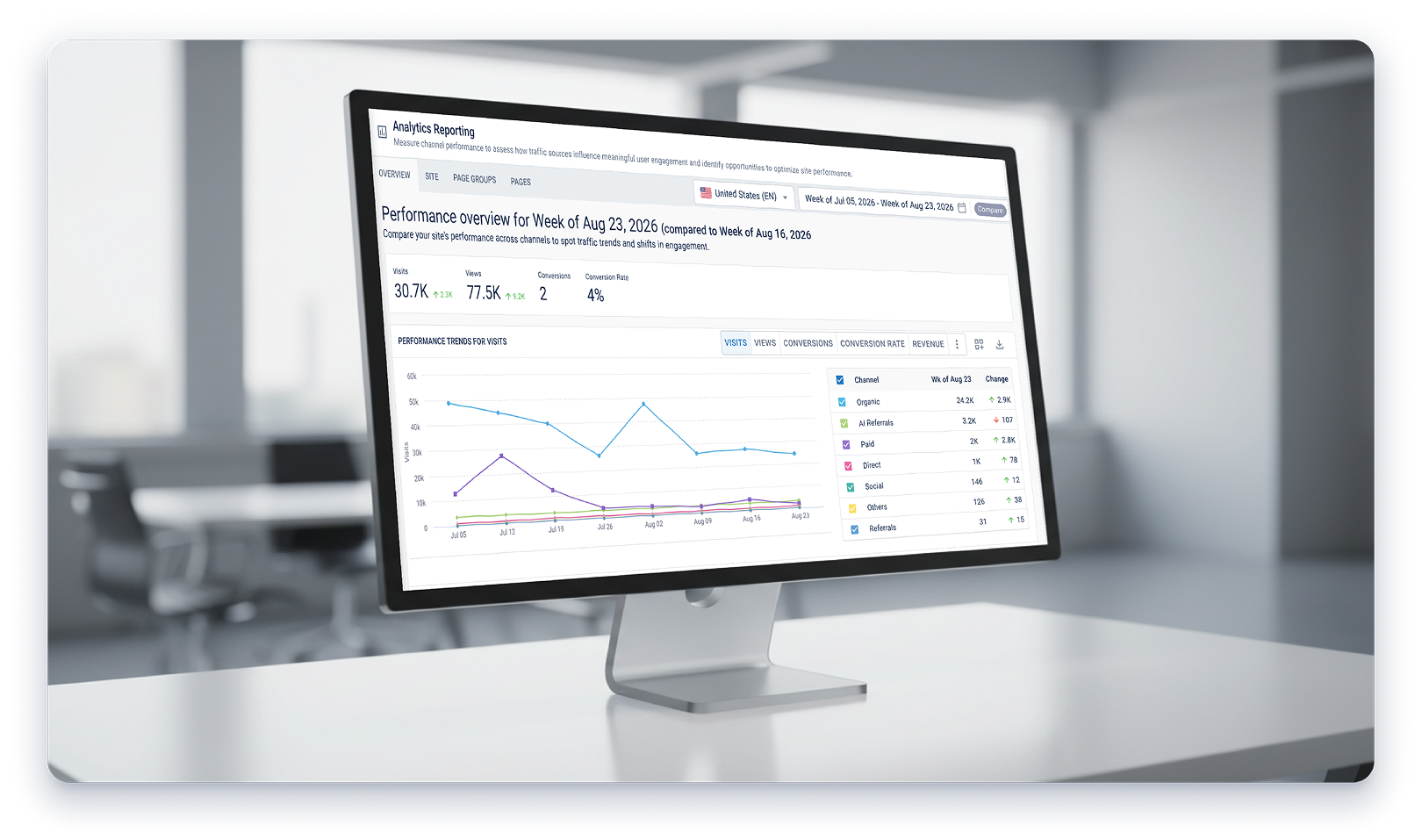
ChatGPT, Perplexity and Gemini are already sending visitors to your site, but Native Google Analytics 4 (GA4) blends all of it into one AI-Assistant channel, with no way to tell which engine sent it. BrightEdge Analytics Reporting separates that traffic by individual engine, at the site, page group and page level, so you know exactly how each channel performs and where to act next.
AI Traffic Visibility
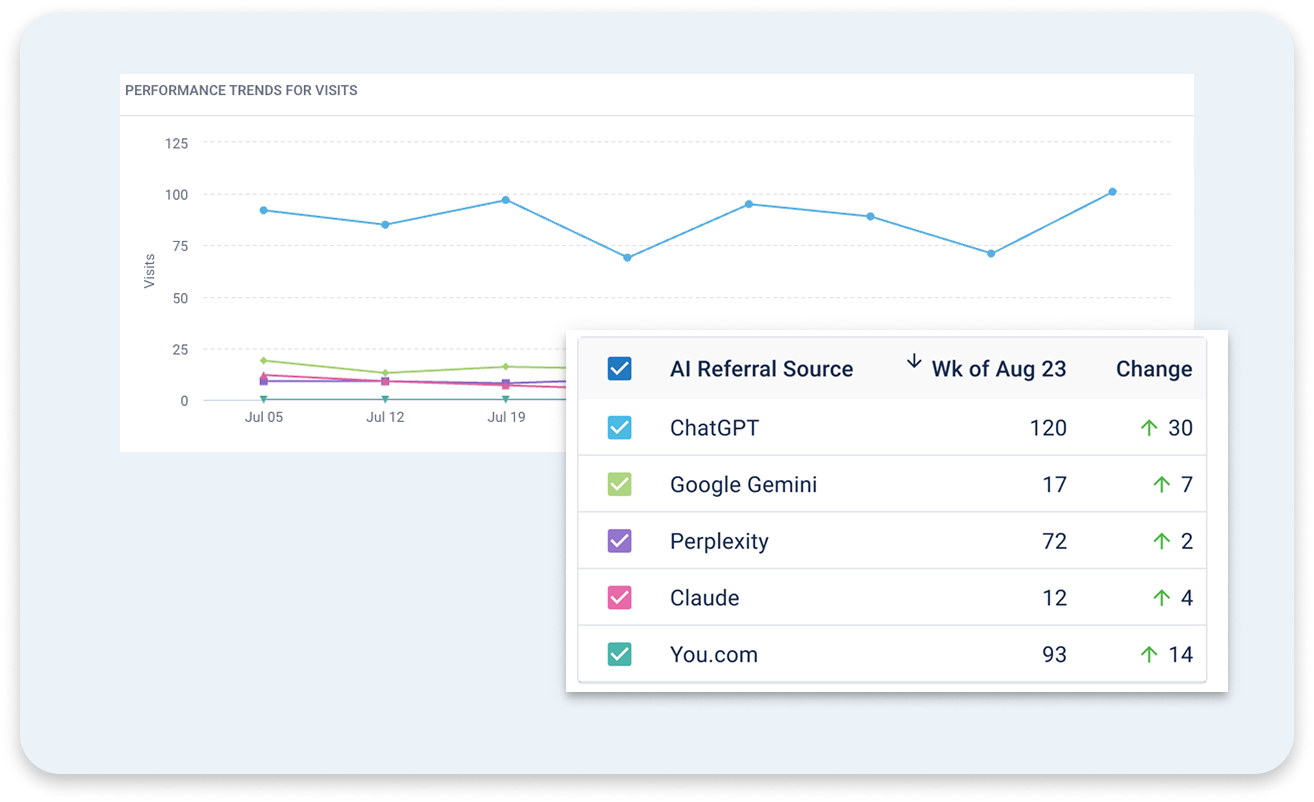
BrightEdge Analytics Reporting separates traffic from ChatGPT, Google Gemini, Perplexity, Claude and other AI engines into its own AI Referral channel, broken out by the individual referring source. You see which AI engine is sending you visitors and which of your pages each one favors most. The channel also reflects Google's own AI-Assistant classification inside GA4, keeping your numbers accurate as Google changes how it labels AI traffic. That tells you where to focus your AI search strategy next.
Channel Benchmarking
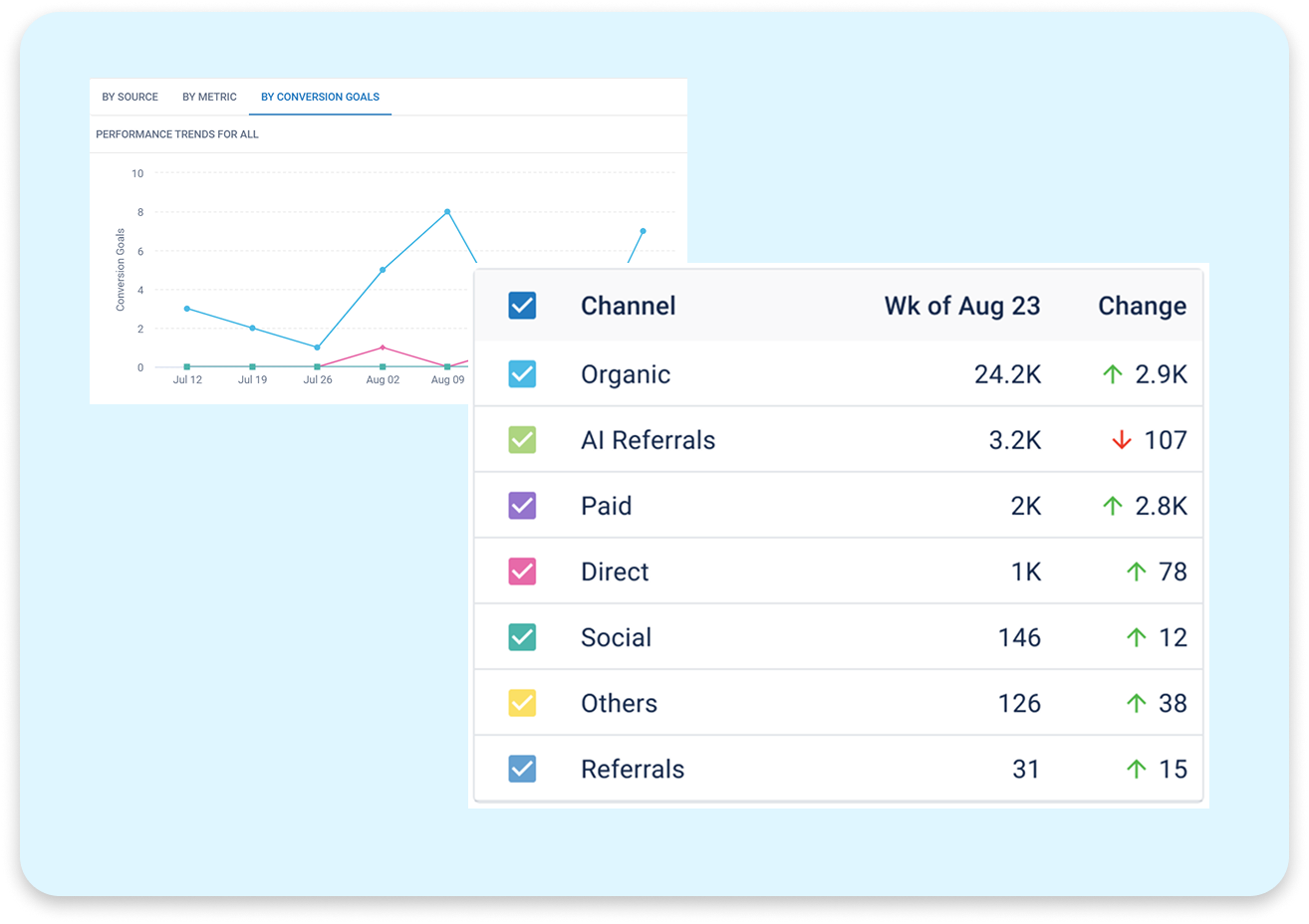
BrightEdge Analytics Reporting benchmarks AI Referral traffic against Organic, Paid, Direct and Social side by side, using the same performance metrics for every channel. You can see whether AI-sourced visitors are more engaged than Organic visitors, whether your Paid spend is actually outperforming Organic and whether conversions are shifting from Organic to AI Referral sources. It also helps you read Direct traffic correctly, since a visitor who asks an AI chat tool about your brand and then types your domain straight into their browser, instead of clicking a citation, shows up as Direct rather than AI Referral. You can go further and see which channel is winning you a specific outcome, such as phone clicks, form submissions or online sales. That level of detail tells you which channel is driving the outcomes your business is measured on, and which one deserves more of your budget.
Trend Monitoring
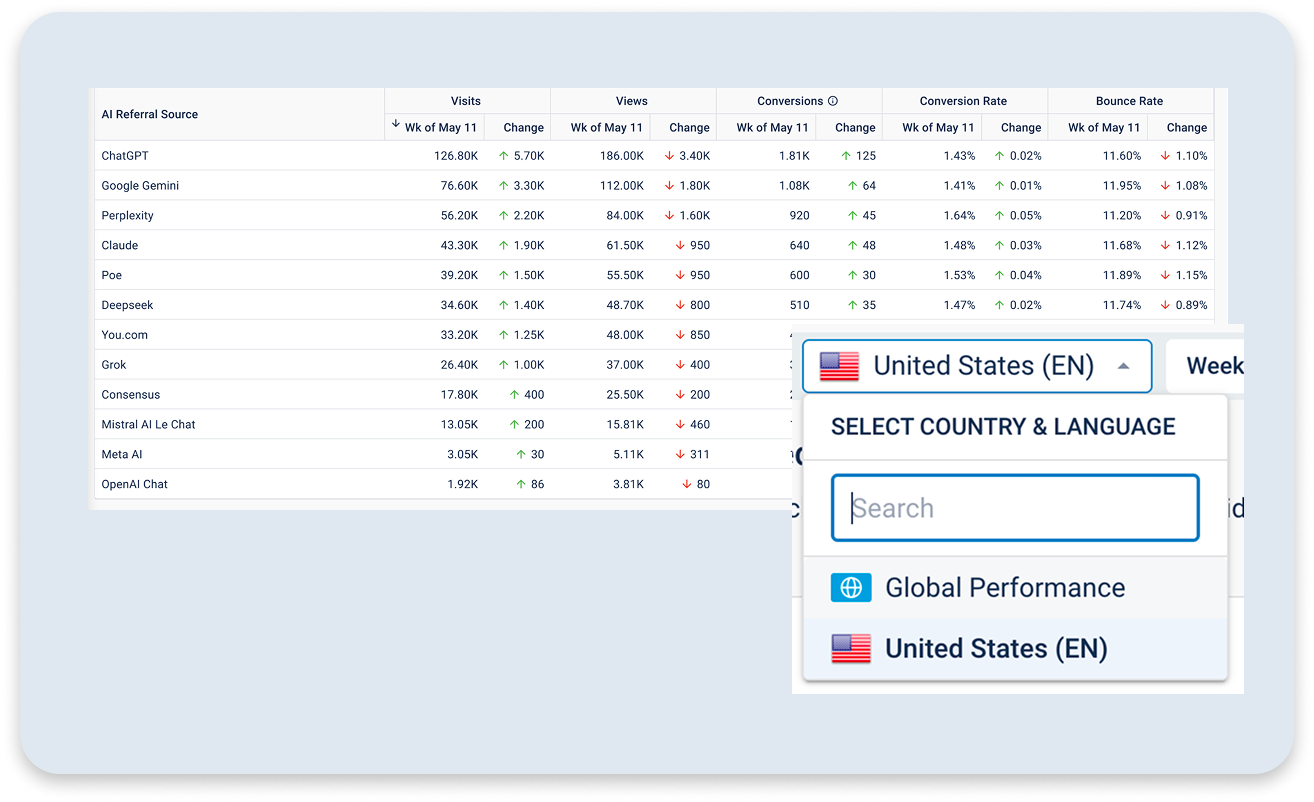
If you run a global site, you no longer need a separate report for every country. BrightEdge Analytics Reporting rolls every market into one view, so you see AI Referral traffic alongside every other channel worldwide in addition to your primary country. You can also compare traffic metrics this year against last year and desktop against mobile for any channel, so you can tell a real trend from a seasonal blip. That combination shows you how quickly a given AI engine is growing, so you know which one deserves your next piece of content while the opportunity is still open.
Content Diagnostics
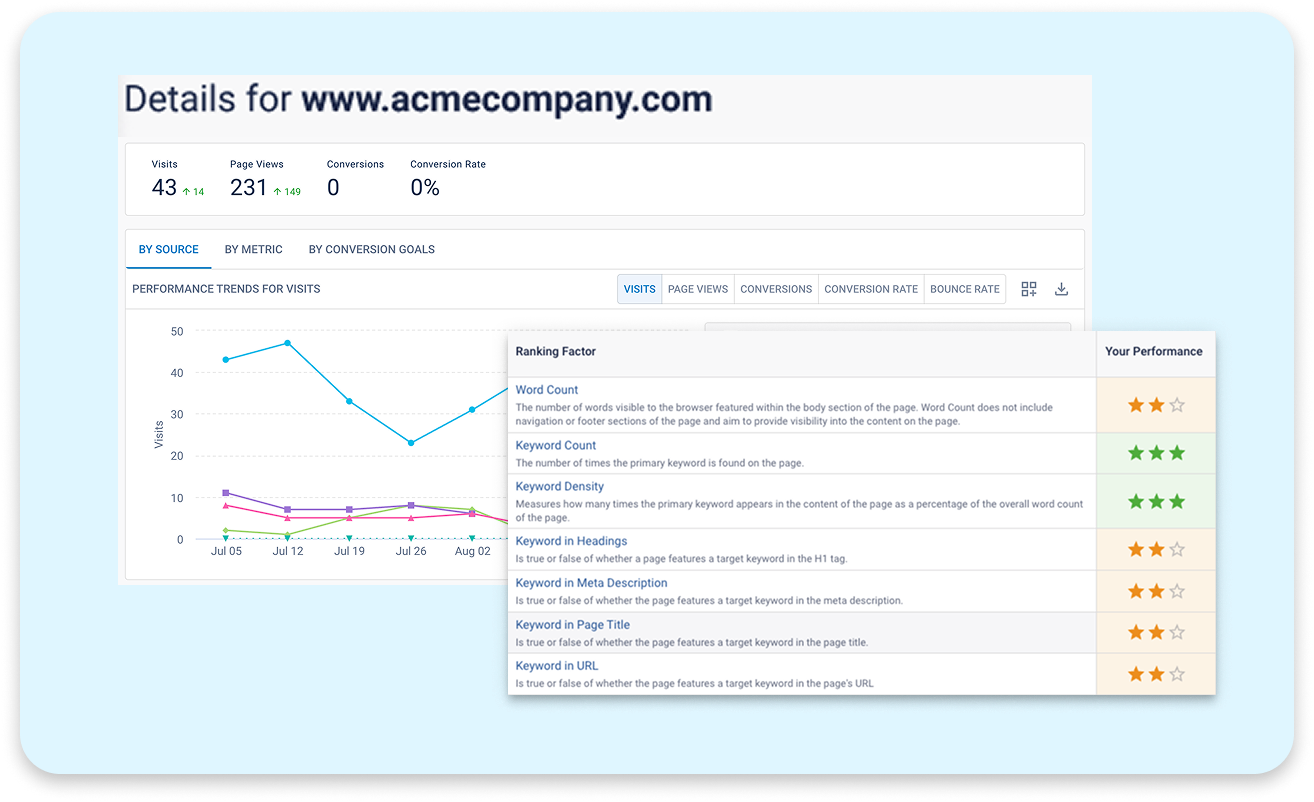
BrightEdge Analytics Reporting also breaks channel performance down to a single page, so you know exactly which specific URL is winning or losing traffic. On that page you see the keywords it already ranks for, the untapped keyword demand GSC Reporting has surfaced for it and where it is already being cited in AI-generated answers. SearchIQ shows you where you may have opportunities to layer in schemas that your competition already employees , so you know what to change to close the gap. While native GA4 stops at the referral domain and leaves you to work out what to do next on your own, BrightEdge Analytics Reporting connects the page's traffic number to the specific recommended actions.
Custom Reporting
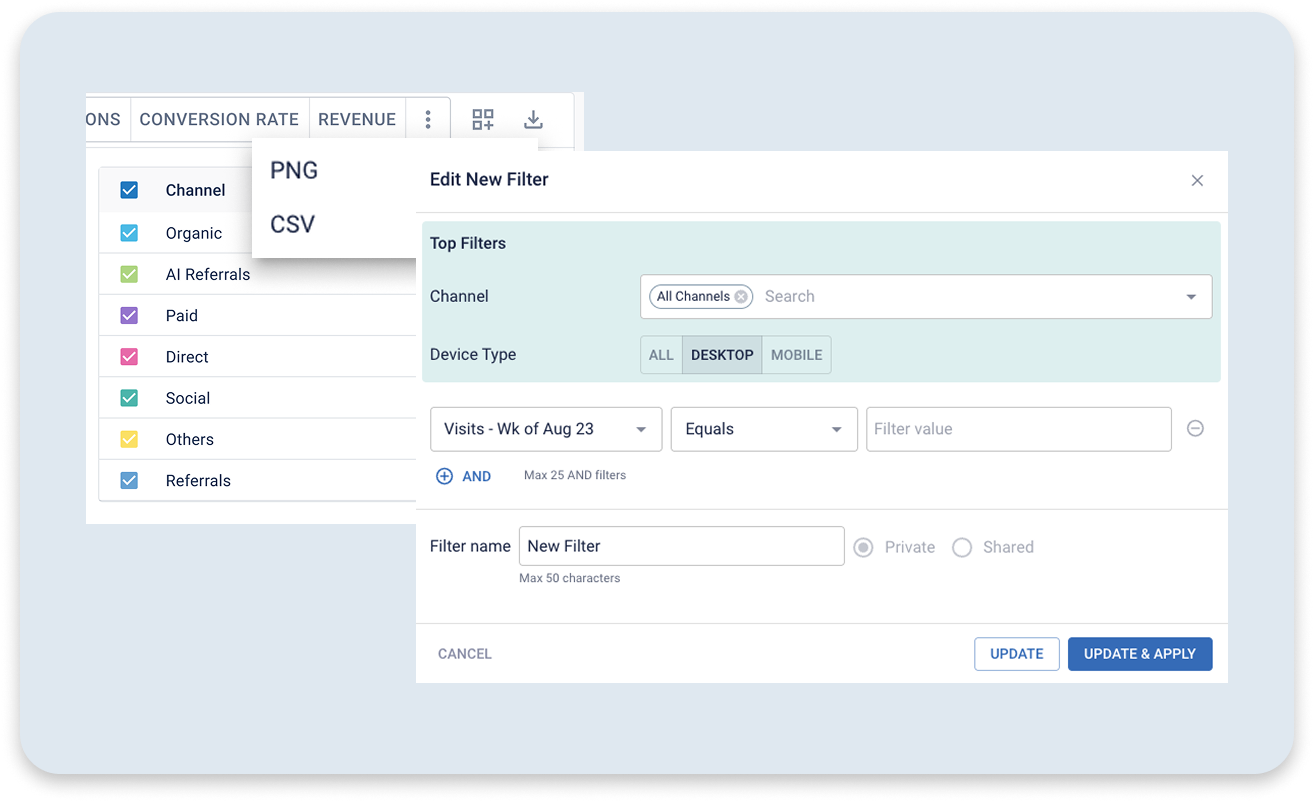
You build the exact view of your data you need, for the location, date range and channel you care about, in a few clicks. You can compare one metric across every channel, or every metric within a single channel, depending on the question you are answering. Save the view once and it is ready the next time you need it, so you are not rebuilding the same report every week. When it is time to share results, you export the data or publish it straight to a dashboard without waiting on a data team.
Get a live look at your own AI search
traffic, using your actual account.
BrightEdge Analytics Reporting is a core platform feature, available now to any account connected
to Google Analytics 4 or Adobe Analytics.
Frequently Asked Questions
AI Overview clicks share the same referrer as standard organic search results, so both appear as Organic traffic in Google Analytics 4 and in BrightEdge Analytics Reporting. Traffic from AI chat tools such as ChatGPT, Google Gemini, Perplexity and Claude are reported separately, in a dedicated AI Referral channel.
Yes. BrightEdge Analytics Reporting shows performance for each individual tracked conversion goal, such as phone clicks or form submissions, broken out by channel at the site level and within a page's details.
Not directly. Mobile apps generally do not pass a referring domain, so traffic from an AI chatbot's mobile app is categorized as Direct rather than attributed to that AI engine. BrightEdge Analytics Reporting attributes AI Referral traffic based on the referring domain, such as ChatGPT.
BrightEdge Analytics Reporting is a core platform feature included at no additional cost for any account connected to Google Analytics 4 or Adobe Analytics.